
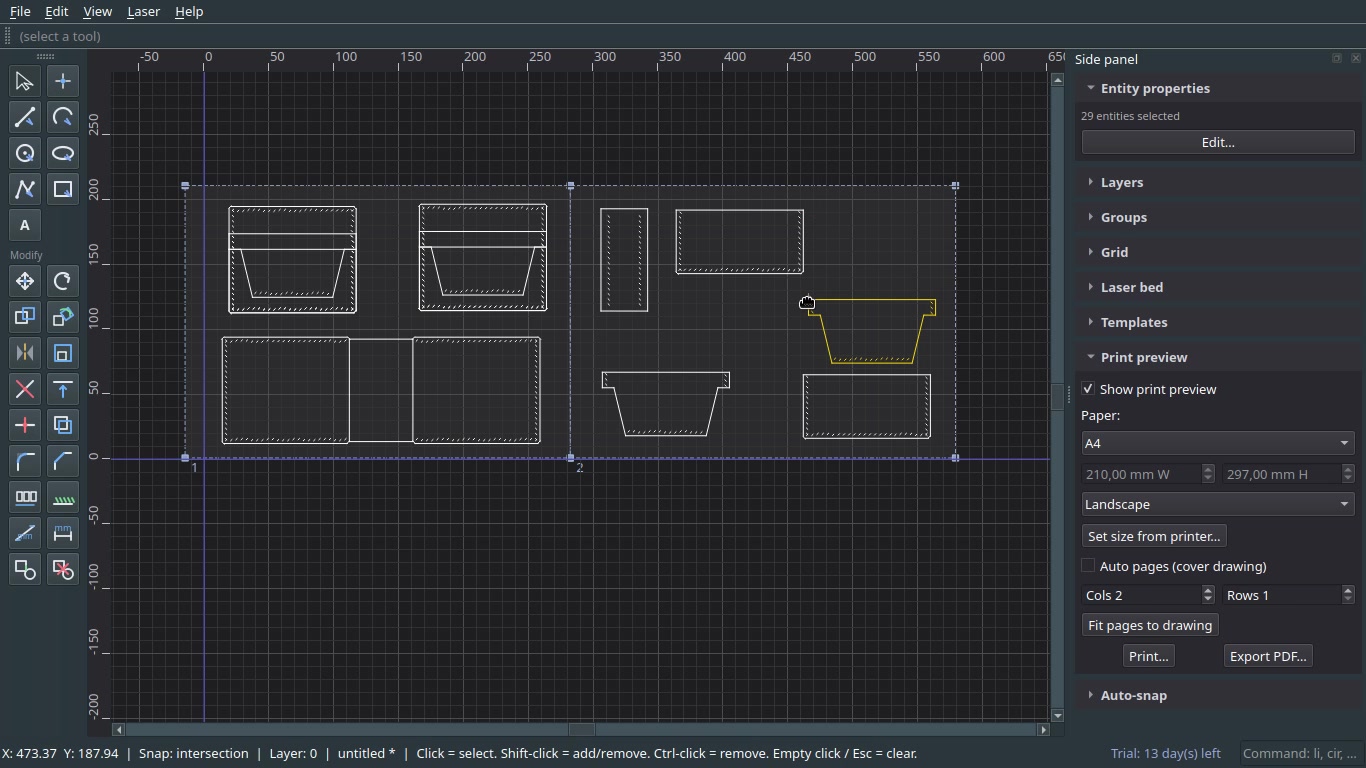
LeapCAD is a lightweight desktop CAD application for leather pattern work and laser-related workflows, rather than a general-purpose CAD suite. Version 2.0 is the current release, with packages for Linux, Windows and macOS.
Software · Software
LeapCAD 2.0
Price to be confirmed
A focused 2D CAD tool for leather pattern design and related CAD work, with stitch-hole tools, printable pattern layouts, DXF exchange and laser-bed preview.
Get LEAPCAD
Secure checkout and delivery are handled by Gumroad.
LeapCAD Video Walkthrough Watch the full CAD workflow in action
100% True Scale Precision
Desktop software supplied digitally. No physical item is included. Checkout and software delivery are handled by Gumroad.
The software
Design with precision.
A focused 2D CAD tool for leather pattern design and related CAD work, with stitch-hole tools, printable pattern layouts, DXF exchange and laser-bed preview.
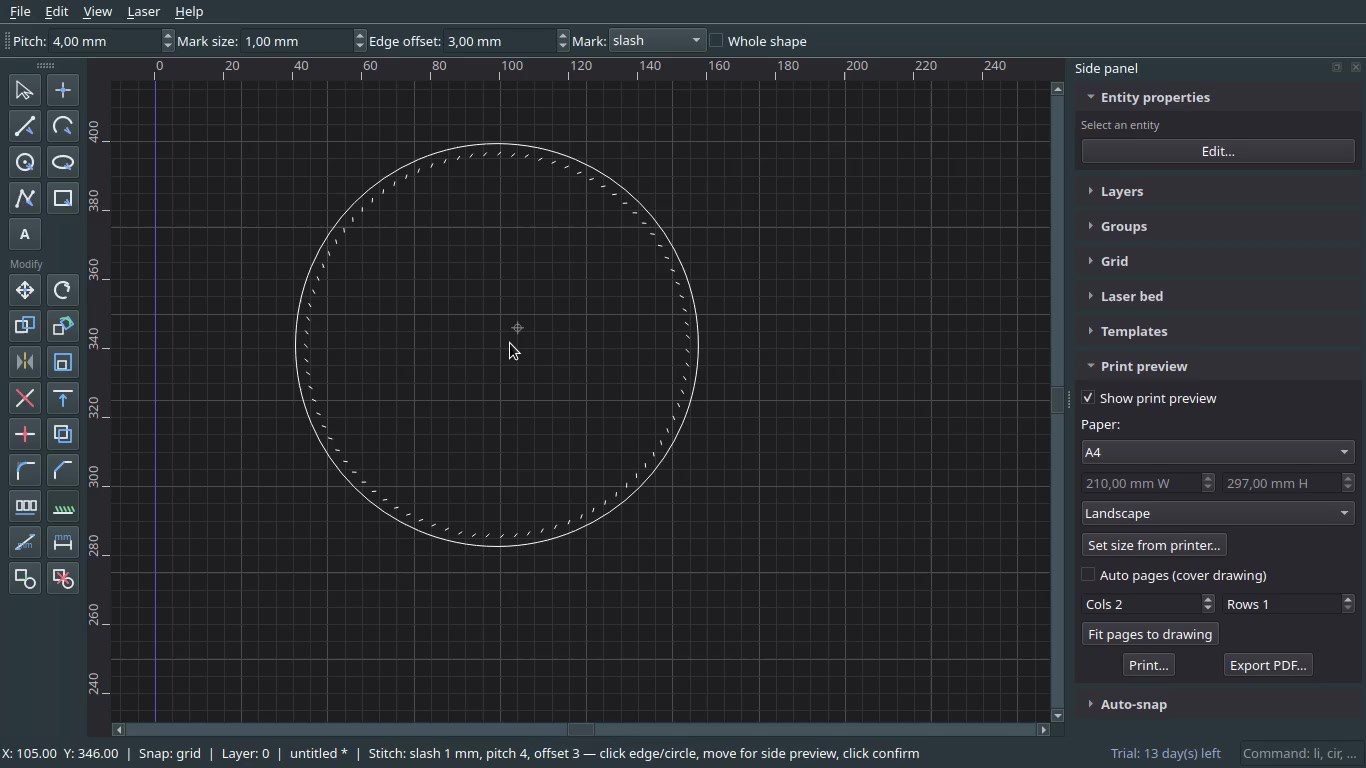
The stitch-hole workflow places marks along edges by pitch and edge offset, with slash marks and independent Edge Offset 1, 2 and 3 settings for the host line and either end. It includes whole-shape previews, round-corner and custom-offset options, on-line marks, pocket offsets, and gusset paths with per-side hole counts. Corner handling distinguishes shared end marks at round corners from straight edges; side-wall mode supports a miter or path inset.
Drawing and editing tools include polylines, text with font and angle controls, lines, rectangles, circles, three-point and two-point arcs, parallel offsets, trim, bevel, extend, split, mirror, rotate, array, align, ordering, copy and paste. Measurement, layers, snaps, groups and entity properties support the wider drafting workflow.
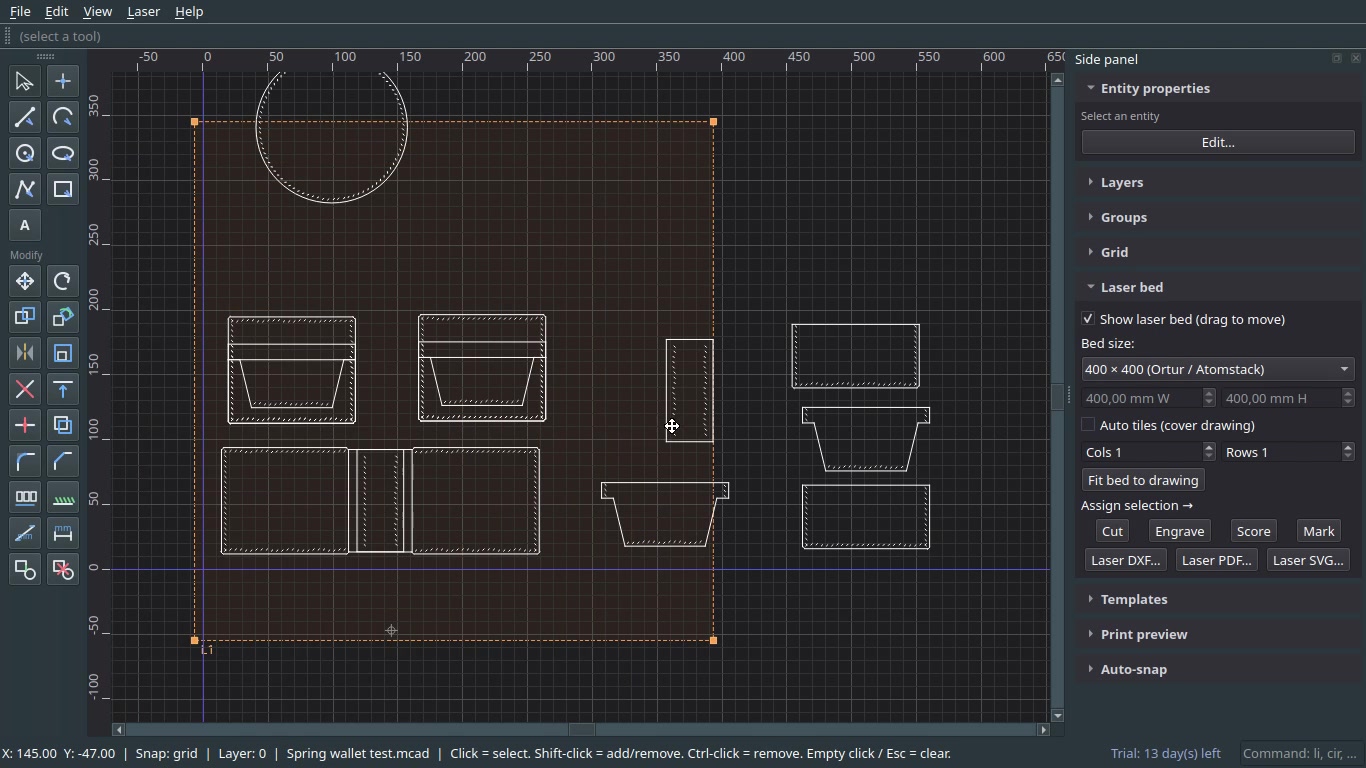
Templates cover banknotes in RSD, EUR and USD, credit and ID cards, SD and memory cards, phones and car keycards. LeapCAD opens and saves native .mcad files; imports and exports DXF; exports SVG and PDF; and imports PDF for bitmap auto-tracing. PDF output is true 1:1 in millimetres, with a multipage print preview that retains layout. A laser-bed preview supports common bed sizes.
The trial lasts 14 days. Paid keys follow the included licence terms; the LeapCAD release notes describe keys in the format LC-XXXX-XXXX-XXXX-XXXX and a 30-day term from first activation.
Laser path generation is a functional preview, so verify feeds and speeds on the machine before production use. Very large DXF files may be slower. The product listing describes the Python payload as packed, while also noting that binary obfuscation is limited. The licence data is retained when the application is uninstalled.
Inside the software
LEAPCAD, at work.
A few views of the tools and previews in the workspace.
At a glance
Specifications
The practical details for planning your project.
- Version2.0
- Platforms listedWindows, Linux and macOS packages
- WindowsWindows 10/11 (64-bit)
- LinuxRecent Linux distribution
- RuntimePython 3.10+; install scripts use a local virtual environment
- Disk spaceAbout 200 MB after dependencies
- Trial14 days
- Support[email protected]
- File formats.mcad, DXF, PDF and SVG
- Third-party softwareOpen-source components have their own licences; see Third-Party Notices in the app or download
Release notes
What’s new in LeapCAD 2.0.
The full changelog for this release, grouped by area.
Highlights
- New Default (Green) brand theme; four themes total
- Multi-document tabs, visible only when more than one file is open
- AGPL-free PDF stack built on pypdf and pypdfium2
- Placement Anchor on the tools bar for templates and size tools
- Safer licensing texts, including EULA and third-party notices
Themes & UI
- Default — frog-green brand theme, active by default
- Classic — previous dark UI, unchanged
- Midnight — dark purple with softer grid contrast
- Paper — medium-light gray, comfortable rather than pure white
- Tools-bar ± spinboxes restored as clear arrow icons
- Dimension fields (W×H, Line L∠, Arc 2P, offsets and others) select the full value on focus so you can type over it immediately
- Anchor and Div dropdowns open downward from the tools bar
Drawing & tools
- Rectangle, Polygon, Rect (W×H) and money templates again use four grouped lines rather than one polyline, so Stitch holes works as before
- Ellipse uses a clear three-step flow: center → major axis → minor radius
- Copy+Rotate fixed; works with the placement anchor
- Stitch holes stable on rectangles and lines, with the poly host path kept for complex shapes
Snaps (Div)
- Tools-bar Div options: Default, 1/3, 1/5 and 1/6
- Default keeps End, Mid, ¼ and ¾
- The chosen mode snaps along the entity both ways; the marker label is always the selected mode, for example always 1/5 rather than 3/5
Templates
- Anchor is only on the tools bar and has been removed from the Templates side panel
- Used for rect templates, notched memory cards, circles and the W×H rectangle
- Photos · Serbia / EU includes more sizes, including small keychain formats from 25×25 mm to 60×60 mm
- Card, money and phone templates cleaned up, with thickness notes where relevant
Documents & files
- Multi-document tabs at the top, shown only when two or more documents are open
- Prefer .mcad for full project data; DXF import and export remain unchanged
- Vector import and auto-trace without PyMuPDF, removing the AGPL dependency
- Improved trace path for line art; multipage layout support retained
Install / uninstall
- Install remains double-click friendly on Linux, Windows and macOS
- Uninstall removes the installed app and the extracted zip folder
- Licence and trial data are not wiped by uninstall, by design
Licensing & legal
- EULA and THIRD_PARTY_NOTICES included in packages
- Offline key check and Payhip-style keys remain supported
- Trial locks when expired; the app is not usable without a valid key
Fixes (selected)
- Zoom no longer jumps when tied to the wrong marker centre
- Snap marker entity-versus-grid priority fixed; blue on end, mid and ¼-style points
- Group and copy isolation fixed so copies do not remain tied to the original
- Print and PDF export path improvements from the 1.x line
Version 2.0 (all platforms: Linux, Windows and macOS)
In the download
What’s included
- Windows package
- Linux package
- macOS package
- Email support
Use & permissions
Software licence
The terms that apply to this digital product.
The purchase is a licence to use LeapCAD, not ownership of its source code. Your designs and files created with LeapCAD remain yours. The trial and any paid licence are subject to the LeapCAD end-user licence terms shown on the separate licence product page. Third-party open-source components remain under their own licences.
Made for patient hands and thoughtful work.
Explore the shop